Chrome extension for Claude
Export Claude chats to PDF and Word.
One click next to Share. Equations stay equations, code stays highlighted, tables stay tables — and the charts, diagrams and files Claude made land where they belong. All of it happens in your browser.
Free · No account · 52 languages
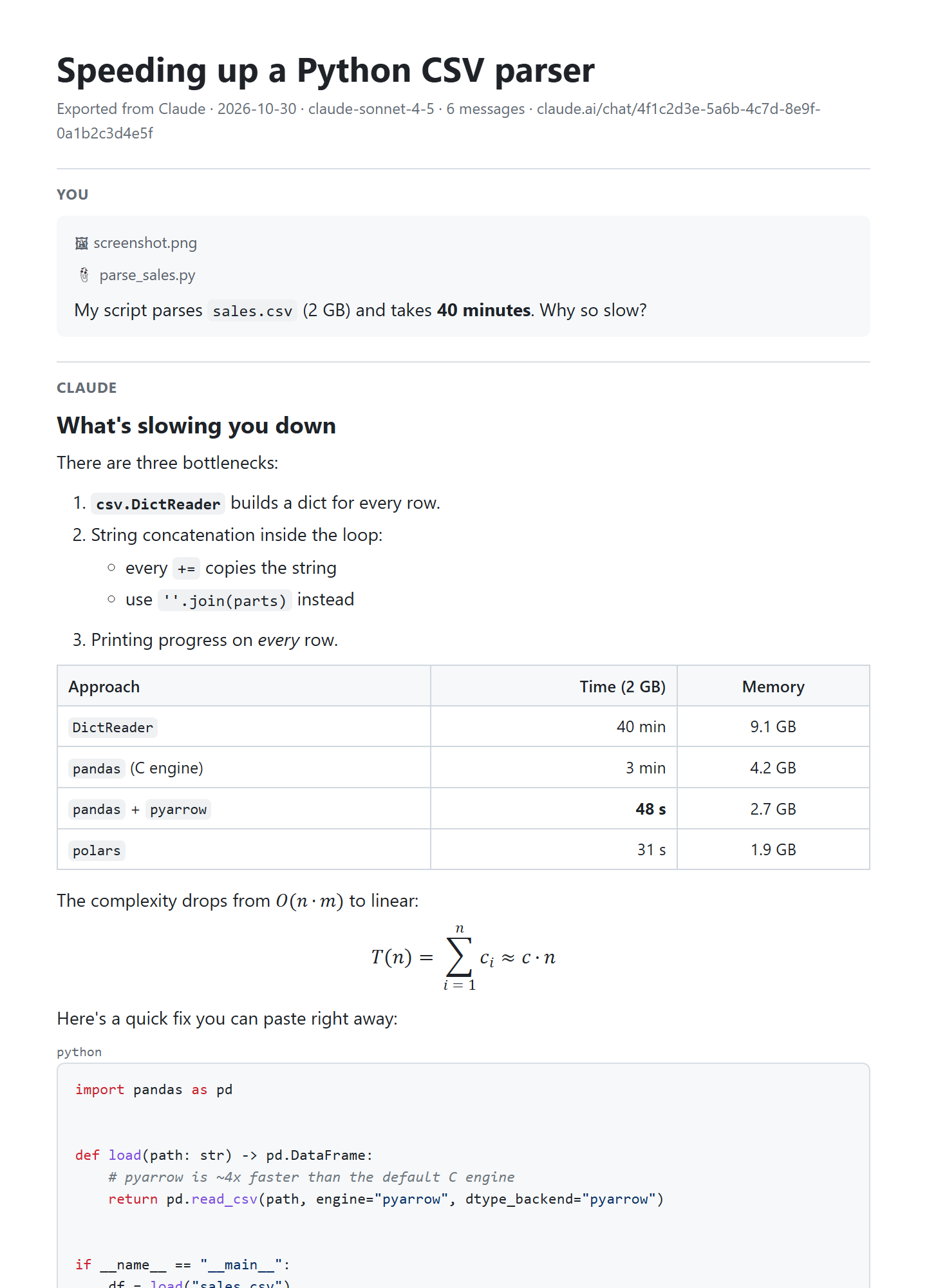
Three ways to save a Claude chat. One of them is a document.
Claude can export the documents it creates, but not the conversation itself. Here is what the usual workarounds give you.
Copy and paste
Claude’s Copy button gives you Markdown. Paste it into Word and you get asterisks, pound signs and raw LaTeX like \frac{a}{b} — one reply at a time.
Fine for a paragraph. Painful for a report.
Print the page
Ctrl + P prints claude.ai as a web page: the sidebar and buttons come along, and artifacts open in the side panel are left out.
Looks like a screenshot of a website.
DocMyChat
A real document: title, clean typography, page numbers, editable equations, highlighted code and your artifacts at the end. PDF, Word or Markdown in one click.
Ready to send, print or edit.
What survives the export
Everything that made the answer useful.
A plain copy keeps the words and drops the rest. DocMyChat reads the chat the way claude.ai stores it, so the structure comes through intact.
- EquationsReal Word equations you can edit, and crisp math in PDF — not LaTeX source.
- CodeSyntax highlighting for common languages. Long lines wrap, so nothing is cut off the page.
- TablesReal tables with their column alignment, in PDF and Word.
- DiagramsMermaid diagrams are drawn as pictures instead of staying code.
- Images and chartsPNG and SVG files Claude made appear in place. SVG stays vector in PDF.
- ArtifactsCode and documents Claude wrote go into an appendix, or download as a .zip of the latest versions.
- The right branchEdited a message and got a new answer? You get the version on your screen.
- Thinking and timestampsInclude them if you need them. Both are off by default.
Every format you actually use.
Pick one from the menu in the chat header, or from the icon under a single reply.
Print-ready pages with numbers, sharp formulas and vector graphics.
Claude to PDF .docxWord
Editable text, real equations, highlighted code and images — ready to revise.
Claude to Word .mdMarkdown
A clean file for Obsidian, Notion, GitHub or your notes folder.
Claude to Markdown ClipboardGoogle Docs
Copy with formatting and paste into Google Docs, Notion or Word.
Claude to Google Docs .zipArtifacts
Every file Claude wrote in the chat, latest versions, in one archive.
Download artifacts One replyA single answer
Export just the reply you need, without the rest of the conversation.
Save one responseThree clicks, no setup.
There is nothing to configure and no account to create.
Open a chat on claude.ai
The Export button appears next to Share. A smaller icon sits under every reply.
Choose a format
PDF, Word, Markdown, Copy for Google Docs or Artifacts. Tick artifacts, thinking or timestamps if you want them.
Save the file
Word, Markdown and .zip download at once. PDF opens Chrome’s print dialog — choose “Save as PDF”.
Privacy
Private by design, not by promise.
Chats hold client data, code and half-formed ideas. DocMyChat builds every document inside your browser, from the chat claude.ai already shows you. There is no DocMyChat server to send it to.
- No uploadThe file is made on your computer and saved by your browser.
- No accountNothing to sign up for. Install and export.
- No trackingNo analytics, no ads, no data sold or shared.
- One chat, on requestIt reads only the chat you export, only when you open its menu.
Guides
Everything Claude can and can’t export on its own, and the quickest way to each kind of file.
- Read
How to export a Claude chat: 5 ways compared
Copy, share links, printing, the official data export and an extension — what each one really gives you.
- Read
How to get Claude’s math into Word as real equations
Why pasting gives you LaTeX, and three ways to get editable equations instead.
- Read
How to export your Claude chat history
The official account export, step by step — and what to do with the file it sends you.
Questions
Is DocMyChat free?
Yes, DocMyChat is free to install. Markdown, Copy for Google Docs and artifact downloads are always free.
Does it work in the Claude desktop or mobile app?
No. DocMyChat is a Chrome extension, so it works on claude.ai in Chrome. Open the same chat in the browser and the Export button is there.
Why does PDF open the print dialog?
Chrome’s own engine makes the best PDF: real, selectable text, sharp formulas and diagrams, and page numbers. Choose “Save as PDF” as the destination. For clean pages, turn off “Headers and footers” under More settings — Chrome remembers it.
Can I export just one reply?
Yes. Every Claude reply gets a small export icon next to Claude’s own Copy button. It exports that reply alone, in any format.
Does DocMyChat read my other chats?
No. It reads only the chat you export, and only when you open its menu. The document is built on your computer and nothing is uploaded. Read the privacy policy.
Does it work with ChatGPT?
Not yet. DocMyChat for ChatGPT is planned as a separate extension.
Is DocMyChat made by Anthropic?
No. DocMyChat is an independent extension and is not affiliated with or endorsed by Anthropic.
Keep the chats worth keeping
Reports, study notes, code reviews and plans — as documents you can share, print and edit.